Appearance
Harness
Pre-requisites
- Account Admin
Finding your Harness API Key, Base URL
You'll now be asked for your API Key, Base URL
Finding your Harness API Key
- To find your API Key. Sign in to your Harness account.
- Go to your
user profilein Harness. - Under
My API Keys, selectAPI Key. - Enter a
Namefor the API key.DescriptionandTagsare optional.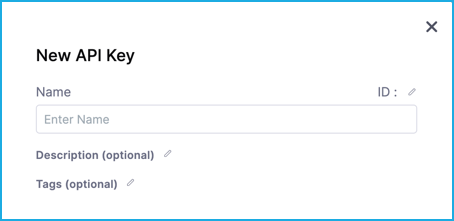
- Select
Saveto create your API key. - Select
Tokenunder your new API key. - Enter a
Namefor the token.DescriptionandTagsare optional.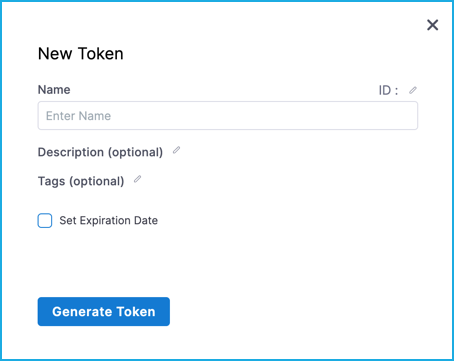
- If you want to set an expiration date for the token, select
Set Expiration Dateand enter an expiration date in mm/dd/yyyy format. SelectGenerate Token.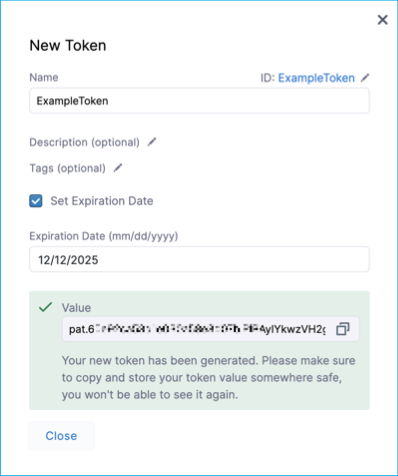
- Copy the token and paste it in the relevant field in Truto.
Finding your Harness Base URL
You'll find the Harness Base URL from the Harness website URL in your browser as shown in the image below. Then click Connect.
