Appearance
CrowdStrike
Pre-requisites
- Administrator
Finding your Client ID and Client Secret, Base URL
You'll now be prompted to add the Client ID and Client Secret, Customer ID, Base URL.
- To find the
Client IDandClient Secret,Base URL. Sign in to your CrowdStrike account. - Navigate to
Support & Resources>API Clients and Keys.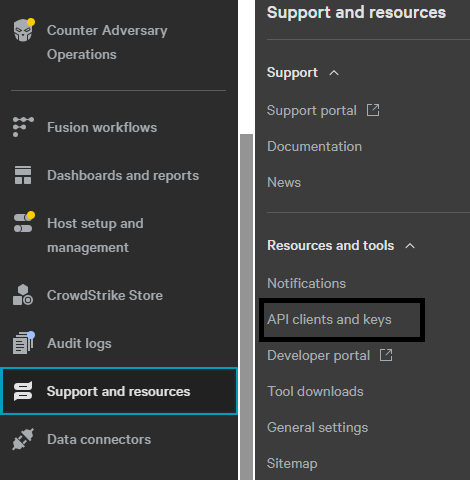
- Click
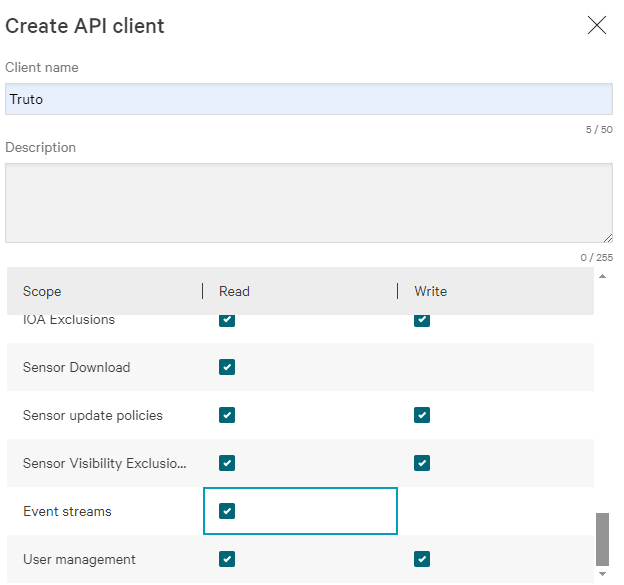
Create API clientand you will be prompted to give a descriptive name and select the appropriate API scopes.
- To find Customer ID, click
profile.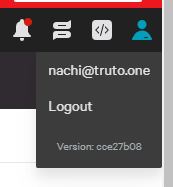
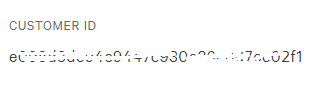
- After completing this process, copy your Client ID and Client Secret, Customer ID, Base URL and paste them into the relevant fields in Truto and click
Connect.